This website contains affiliate links and we may be compensated for referrals.
You’ve got time between deliveries and a participating parking lot nearby. What happens next?
With Taggr, you use your phone to check private parking lots, verify parking status and issue authorized notices. You can work around Uber, Lyft, DoorDash or another job without committing to scheduled shifts. Once you’re approved and trained, you choose available lots that make sense for your day.
This Taggr guide shows you how to do Taggr, from application through your first lot check. We’ll also cover the difference between a Tire Tag and a paper notice, ways to use your time well, and the questions new contractors ask most often.
Still deciding whether the work is for you? Start with our Taggr review for an overview of pay, requirements and the pros and cons.
How to do Taggr: quick steps
- Apply at JoinTaggr through Taggr’s official application site.
- Complete screening: a background check and a Motor Vehicle Record check.
- Finish onboarding: log in with the emailed instructions and complete training.
- Choose a nearby lot in the app and read its rules.
- Scan plates, verify violations and issue the authorized notice.
- Submit and review your notice, then get paid weekly on Wednesdays.
What You Need Before You Start Taggr
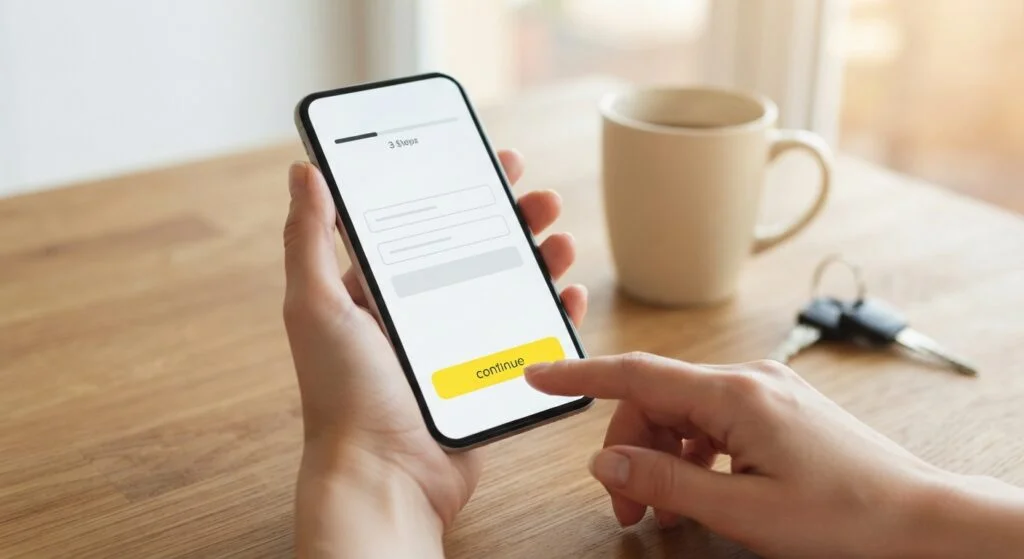
You must be at least 18 years old and have a smartphone. Taggr works on iOS and Android, and you don’t need previous parking-enforcement experience.
You’ll complete a background check and a Motor Vehicle Record check during onboarding. You don’t have to own a vehicle to work with Taggr. If you don’t drive, Taggr’s onboarding team can explain how the screening process applies to your circumstances.
Think about how you’ll get between lots. Walking or cycling may work where properties are close together; in other areas, driving will be more practical. You don’t need a passenger-ready car, but you do need safe access to the properties you choose.
Bring a charged phone and dress for walking outdoors. A lot check involves paying attention to vehicles, signs and the app, sometimes in heat, cold or rain. Comfortable shoes and a plan for keeping your phone usable will make the day easier.
There’s no special equipment purchase required to get started—a nice low barrier to entry. Taggr’s training and lot instructions explain the equipment used at each property.
How to Sign Up for Taggr
1. Apply online
Start at JoinTaggr and follow the application link. That takes you to Taggr’s official application site, where you can begin the Taggr sign-up process.
Use your current contact information and review the available opportunities in your area. A listed city is a starting point; the properties accepting contractors nearby are what will shape your actual work.
Take a moment to read the application instructions before submitting. Incorrect or incomplete details can create avoidable delays. Keep an eye on the email address you provide so you don’t miss a request or your next onboarding step.
2. Complete your Taggr background check
The Taggr background check and Motor Vehicle Record review are part of getting approved. Follow the instructions in the official application process and provide any required information through the designated channel.
Taggr’s published onboarding guidance describes screening as taking roughly 30 minutes to 24 hours, which is quicker than many gig platforms, but individual applications can take longer. Don’t plan around a guaranteed same-day start. Wait for confirmation that your screening is complete.
If something needs clarification, contact Taggr’s onboarding team rather than submitting another application and creating duplicate records.
3. Finish digital onboarding and training
After clearance, Taggr sends login instructions by email. From there, complete the training before checking lots.
Training covers the app, the documentation process and the tasks you may be authorized to perform. Pay particular attention to lot rules and the difference between notice types. You shouldn’t need to guess which action applies when you arrive at a property.
Read your contractor terms, too. Know the rate for your work, what makes a notice eligible for compensation and how to get help with a payment question. Understanding those details now is easier than trying to reconstruct them after your first payout.
4. Get ready for your first check
Open the app, review the properties available to you and choose a manageable first assignment. Give yourself time to read the instructions without another gig waiting in the background.
Make sure your payment information is set up correctly. Then check your phone’s battery and connection, plan a safe route and head to the property.
How to Do a Taggr Lot Check, Step by Step
Step 1: Choose a nearby lot and read its rules
Select an available participating lot in the Taggr app. Confirm its location and boundaries; neighboring parking areas may belong to different operators or have different rules.
Read the instructions before you begin. They tell you how that property is handled, which notice method applies and what checks you need to complete. Follow any listed restrictions on when the lot can be checked.
Even if you’ve visited before, review the current instructions. Operators can change how a property is managed. Yesterday’s routine isn’t a substitute for today’s rules.
Step 2: Arrive and check your surroundings
Find a safe, lawful place to stop without blocking an entrance, walkway or accessible space. Complete any arrival steps required by the app.
Look around before focusing on your phone. Cars may be pulling into spaces or backing out, and people may be walking between vehicles. Position yourself so you can see what’s happening around you.
If the property’s signs, access or layout don’t match the instructions, stop and ask Taggr for guidance. It’s better to resolve a question before issuing a notice.
Step 3: Scan plates with the Taggr app
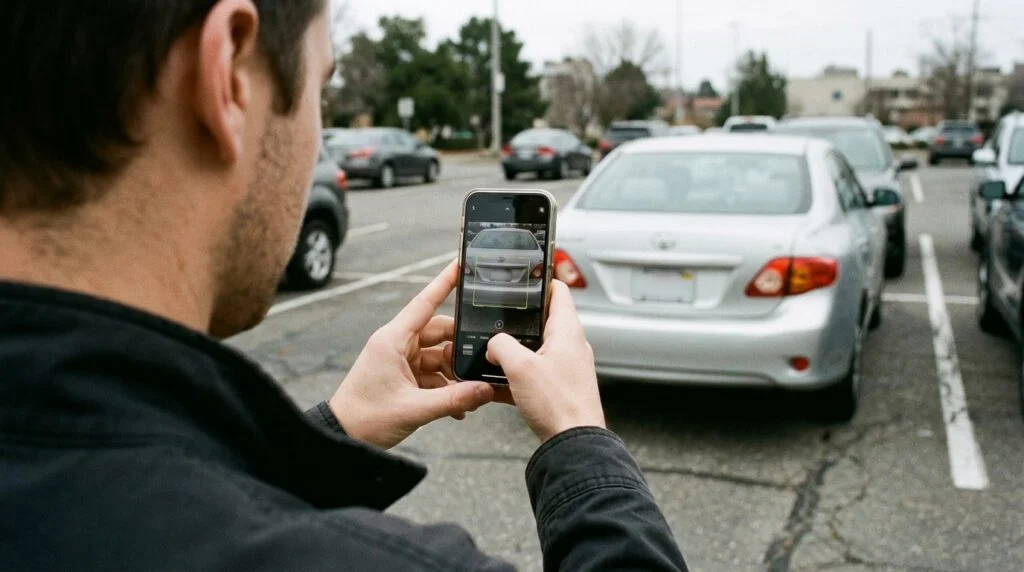
Walk the lot and use your phone to scan license plates. The app helps you check parking status and identify vehicles that need further review.
Check the captured plate against the vehicle in front of you. A character read incorrectly can lead to the wrong result. An unclear plate needs another look, not an assumption.
Follow the property’s verification process, including any relevant permit or exemption checks. If something remains uncertain, use Taggr support rather than treating the uncertainty as a violation.
Step 4: Issue the authorized tag and complete the notice
Once you’ve confirmed a violation under the lot’s rules, follow Taggr’s training for the authorized notice type. That may be a paper notice or a Tire Tag.
Complete the information and evidence requested in the app. Make sure the record matches the correct vehicle, plate and property. Good documentation is part of a finished assignment—not an optional step after the work.
Use Tire Tags only as trained and authorized. Device handling isn’t something to improvise from a written article. Taggr’s current training and lot instructions control what you do on the property.
Step 5: Review your submission
Confirm that the notice was submitted successfully and finish any remaining check steps. If the app is slow or you lose a connection, check the record’s status before trying again.
If you spot a mistake, report it through the proper channel. Don’t create another notice to work around an uncertain submission or assume you can correct it by issuing a replacement.
Once the assignment is complete, you can move on. Vehicle owners use Taggr’s designated payment, release and dispute processes. You don’t collect cash or negotiate an amount in the parking lot.
Taggr Tire Tag vs. Paper Notice
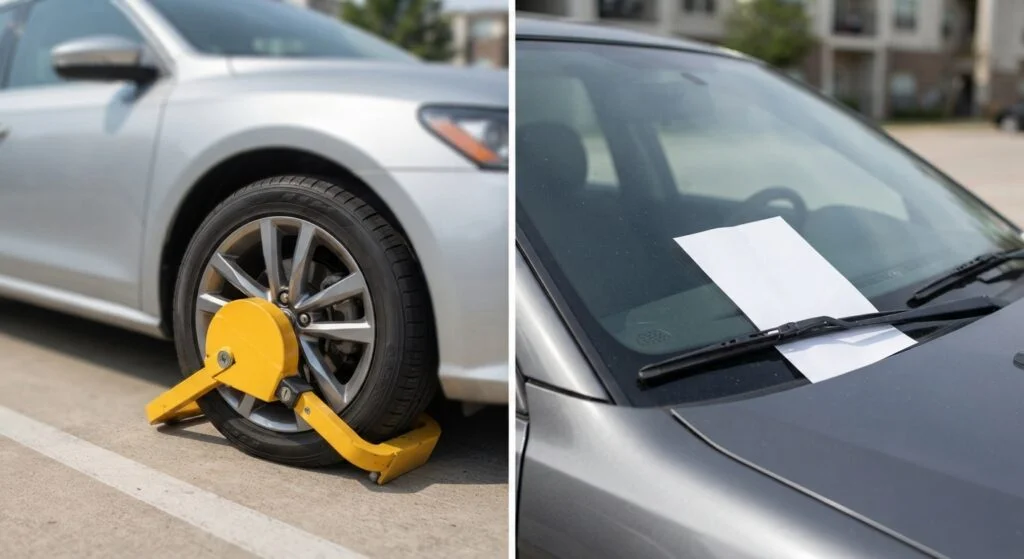
A Taggr Tire Tag is a bright yellow wheel-lock-style device. A Taggr paper notice is placed on the windshield. Both document a parking violation, but they aren’t interchangeable.
| Tire Tag | Paper notice | |
|---|---|---|
| What it is | Bright yellow wheel-lock-style device | Notice placed on the windshield |
| When you use it | Only where the property’s instructions call for it | Only where the property’s instructions call for it |
| Pay | Up to $25 per paid Tire Tag | Up to $5 per paper notice issued |
The property’s instructions determine which method you use. A higher advertised payment isn’t a reason to choose a Tire Tag where a paper notice is required.
Taggr offers up to $25 per paid Tire Tag and up to $5 per paper notice issued. Your applicable rate and payment conditions are covered in your contractor terms and onboarding information.
Notice the word “paid” in the Tire Tag arrangement. Issuing a device and receiving compensation aren’t necessarily the same moment. Ask Taggr how pending, disputed or canceled notices appear in your earnings record so you know what you’re looking at.
How to Make More Money With Taggr
The most useful Taggr tips are about reducing wasted time and understanding your local opportunities. You can improve your preparation and route planning. You can’t control how many vehicles are legitimately in violation.
Find the windows that work in your area
Lunch periods, events, evenings and weekends can change how a parking lot is used. Where the lot’s rules permit, try a few different checking windows and record the results.
Don’t assume a full lot is automatically a good earning opportunity. Every driver may have paid or have a valid permit. The point of checking is to determine parking status accurately, not to produce a certain number of notices.
After several sessions, compare actual time and compensation. That gives you a better basis for planning than one busy afternoon.
Keep your route compact
Before driving across town, look at what’s near where you already work. Several available properties close together may be more practical than a distant lot that looks promising.
Count the return trip, too. If checking a property leaves you far from your regular delivery or rideshare area, that travel belongs in your calculation.
Plan while safely parked. You shouldn’t be reviewing lot instructions or switching between work apps while driving.
Get comfortable with the process
Knowing how to find instructions, capture clear information and complete a notice can make checks smoother. A charged phone and a little preparation prevent interruptions that have nothing to do with the lot itself.
But speed has a limit. “Tags per hour” is not a target you should meet by rushing verification or issuing doubtful notices. A compliant lot may produce no tags, and that’s the correct result.
Work efficiently by removing unnecessary delays, not by skipping required steps.
Know your Taggr earnings
Taggr’s website advertises average hourly earnings of $25–$65—a solid range for flexible side work. Your actual return can differ based on location, available work, notice types, qualifying payments and expenses. Taggr pays for qualifying actions, not a guaranteed hourly shift.
Track time from the start of the work-related trip through completion, including documentation and travel between properties. Compare that with compensation received, not just notices issued.
If a route doesn’t make sense after several checks, adjust it. You may find Taggr works best in short breaks rather than as a separate drive across town.
Understand bonus opportunities
Taggr offers weekly and monthly bonus opportunities. Review the current requirements and qualifying periods so you know what counts.
Treat bonuses as additional compensation once earned, not as a reason to overlook travel costs or stretch a parking rule. The quality of the work comes first.
How to Combine Taggr With Uber, Lyft and DoorDash
You can do Taggr alongside other gig work. There are no exclusivity requirements, and you don’t need to reserve a fixed block of hours.
The practical question is how to fit a check into your day without putting two commitments in conflict. A break between completed jobs is different from time when a passenger or customer is waiting.
For example, your day might look like this:
- Morning: Work your usual rideshare period.
- Late morning: Finish your last trip and check for an available Taggr lot nearby.
- During the break: Pause or manage your availability on other apps, complete the lot check and finish the documentation.
- Lunch: Return to delivery work if that fits your usual schedule.
- Before heading home: Consider another nearby check only if the property is available and you have time to complete it.
This is an example, not a recommended earning schedule for every city. Keep what works for your area and leave out what doesn’t.
Don’t carry out a lot check with a passenger waiting or a delivery in progress. Combining apps should give you more options, not make you late for work you’ve already accepted.
Taggr Safety Tips: Handling Upset Car Owners
Stay aware of traffic and pedestrians while you’re checking a lot. Put the phone down when you need to move through an active driving area, and avoid standing where a vehicle could back into you.
Pay attention to lighting and your surroundings. If you feel unsafe, stop the check and leave. Completing a notice is never more important than getting out of a bad situation.
An owner may approach you with questions or frustration. Keep your response calm and brief. Direct payment and dispute questions to Taggr’s official process rather than debating the notice, promising a cancellation or accepting cash.
You aren’t expected to argue with someone or persuade them to pay. Follow your training, contact Taggr support when needed and seek emergency assistance for an immediate threat.
Taggr Pay Schedule and Taxes
Taggr pays weekly on Wednesdays. During onboarding, confirm your payment setup, the cutoff for that week’s payout and how pending earnings are shown.
Keep a record of your activity and compare it with payments received. If a figure doesn’t match what you expected, a specific notice reference and date will make the question easier to resolve.
As a Taggr independent contractor, you’re responsible for reporting your income and handling applicable taxes. A Taggr 1099 or other tax document helps with recordkeeping, but the absence of a form doesn’t automatically make income tax-free.
Track business expenses and mileage where applicable. If you use several apps, keep records that distinguish business and personal travel and don’t count the same expense twice.
For current guidance, visit the IRS Gig Economy Tax Center. A qualified tax professional can help you understand deductions and estimated payments for your situation.
Taggr FAQ
Can I do Taggr alongside Uber, Lyft or DoorDash?
Yes. Taggr can fit around rideshare and delivery work, with no exclusivity requirement. Complete your existing commitment before starting a lot check, and follow each app’s terms.
What’s the minimum age for Taggr?
You must be at least 18 to apply as an independent contractor.
Are there minimum hours or tag quotas?
No. There are no minimum hours, scheduled shifts or weekly tag quotas. Work when it fits your schedule and complete each assignment according to its rules.
Do I need a vehicle to do Taggr?
No vehicle is required. You do need a safe way to reach available properties. If you don’t drive, ask Taggr’s onboarding team how the screening process applies to you.
How quickly can I start with Taggr?
Screening can be quick, but timing varies. Once you’re cleared, you’ll receive login instructions and complete training. Start only after those steps are finished and you have access to available work.
Do I keep the Tire Tags?
No. Vehicle owners return removed Tire Tags to designated lot drop boxes. Access information is provided in the lot rules. Follow the current equipment instructions rather than arranging your own collection process.
Getting Started With Taggr
If you’re curious, the first step is simple: visit JoinTaggr and apply. Once you’re approved and trained, choose a nearby lot, give yourself time to learn the process and keep track of your results.
You don’t need to replace your existing gig work to find out whether Taggr fits. Start with an available check during a real break, do it carefully and build from there. For drivers looking to put downtime to better use, it’s an option worth a look.